The syslog-ng Store Box (SSB) appliance, built on syslog-ng Premium Edition (PE), offers a user-friendly graphical interface while retaining most of syslog-ng PE’s robust features. A key application of SSB and syslog-ng PE is enhancing the logging infrastructure for SIEM/log analysis. Notably, SSB has recently added support for log analytics destinations like Splunk HEC (HTTP Event Collector) and Microsoft Sentinel.
The SSB appliance is versatile in collecting log messages from a wide range of sources in various formats, including UNIX/Linux/Windows system logs, firewall and router logs, application logs, and now SQL sources. SSB is equipped to parse, rewrite, filter, and store log messages effectively. Beyond these core syslog-ng functionalities, SSB offers advanced features such as log message search and comprehensive log lifecycle management, including archiving and backup. Additionally, SSB can forward events to multiple on-premises and cloud destinations. This capability enables you to streamline your SIEM installations by collecting log messages once, storing them on SSB, and then forwarding a reduced subset to various analytics tools, optimizing both resources and licensing.
Before you begin
Version 6.6 of the SSB appliance introduced support for the Splunk destination, while version 6.7 was the first to support the Sentinel destination. Both features have since received numerous performance improvements, bug fixes, and minor enhancements. Therefore, it is advisable to always use the latest version for the best experience. If you haven’t tried SSB yet, you can download a 30-day free trial at syslog-ng.com.
Configuring and testing SSB
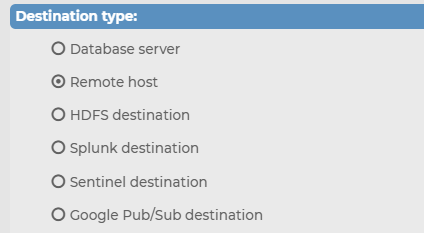
Source: https://www.syslog-ng.com/community/b/blog#pifragment-836=5
Giới thiệu về DT Asia
DT Asia được thành lập vào năm 2007 với sứ mệnh rõ ràng là xây dựng bước thâm nhập thị trường cho các giải pháp bảo mật CNTT tiên phong khác nhau từ Mỹ, Châu Âu và Israel.
Ngày nay, DT Asia là nhà phân phối giá trị gia tăng khu vực về các giải pháp an ninh mạng, cung cấp các công nghệ tiên tiến cho các cơ quan chính phủ trọng điểm và các khách hàng hàng đầu thuộc khu vực tư nhân, bao gồm các ngân hàng toàn cầu và các công ty thuộc danh sách Fortune 500. Chúng tôi có các văn phòng và đối tác khắp khu vực Châu Á - Thái Bình Dương nhằm thấu hiểu rõ hơn các thị trường và cung cấp các giải pháp mang tính bản địa hóa.